Common Requirements
All animations should be made in Spine version either 4.2.xx or 3.8.99.
- Do not use backward export to
3.8.99format for animations made in Spine version4.2.xx. - Do not use new features (like
physics constraint) for animations made in Spine version4.2.xx. The impact of such features on game performance has not yet been studied. - Skeleton, animation and skin name should contain only
latin letters(in lower-case),numbers, andunderscores. - Do not put animations for different objects into a single skeleton.
Each symbol might be displayed on the screen multiple times (depending of the slot machine size). It's important to keep the complexity of each symbol as low as possible.
Spine runtime, potentially, will not update and render hidden slots to reduce impact on the game performance. Even in this case, an extra memory still will be allocated to store information about hidden bones, slots and especially meshes. Consuming too much memory may lead to browser tab crash.
Animation example
- Original skeleton
- Fixed skeleton
Skeleton consists of 350+ bones, 12800+ triangles, and contains animations for 3 different symbols. These symbols are often displayed at the same time, forcing Spine runtime to handle 1050+ bones at the same time (not including other scene elements), and such animation might became a bottle-neck in game performance.
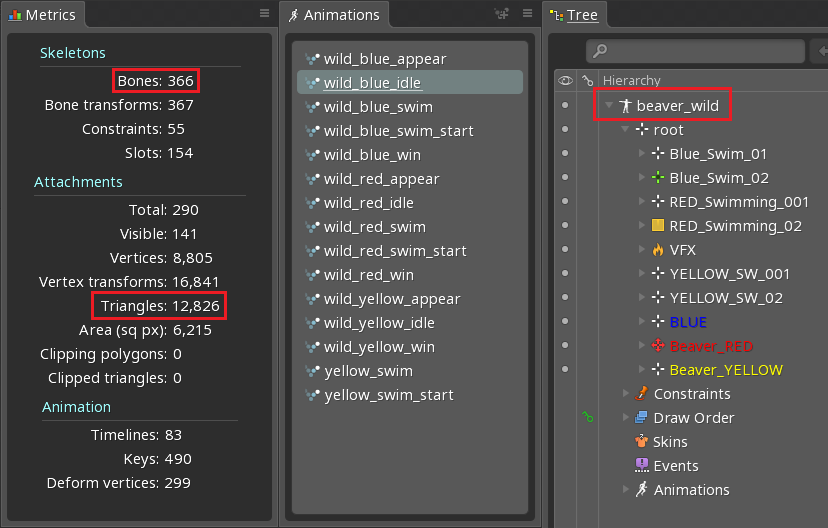
Original skeleton now split into 3 separate skeletons, each contains animations for a single symbol. Amount of bones and triangles reduced, and animations are more optimized for in-game usage now.

Animation example
- Original skeleton
- Fixed skeleton
Skeleton for "rocket launcher" symbol also contains effects animation. These effects will be used apart from the symbol. Each symbol, that appears on the reels, will consume an extra memory to store information about effects, which are never used in this case.
Overhead from this particular skeleton is not too big, and splitting it into two skeletons will be enough.
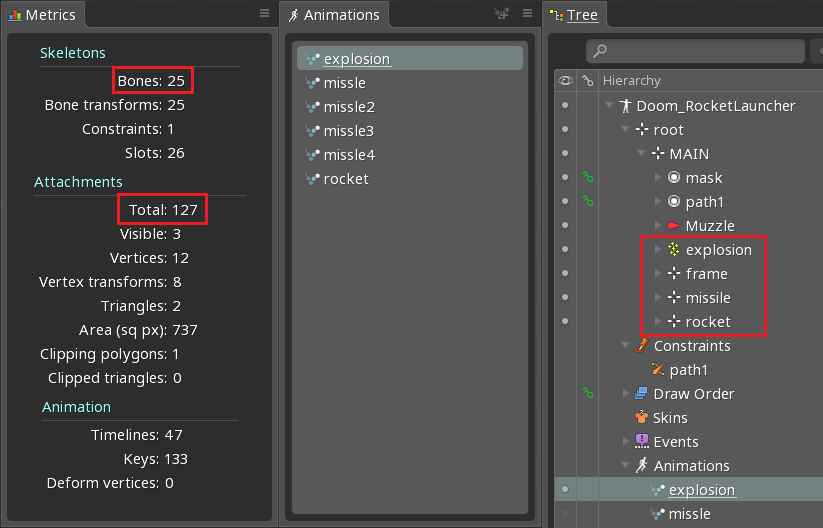
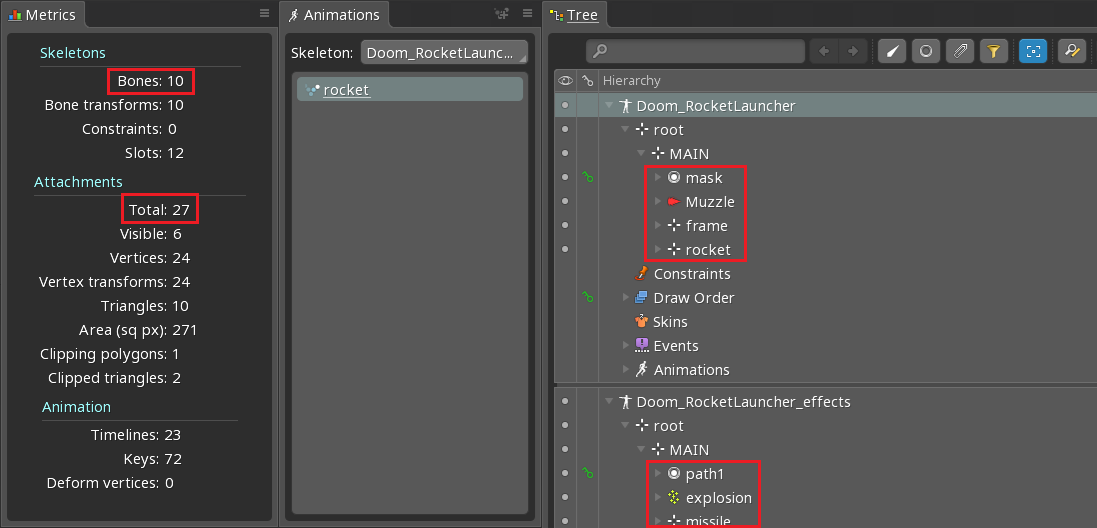
Original skeleton now split into 2 separate skeletons, first contains only symbol animation, second one contains all effects animation.
- Use skins instead of duplicating skeletons/animations.
Animation example
- Original skeleton
- Fixed skeleton
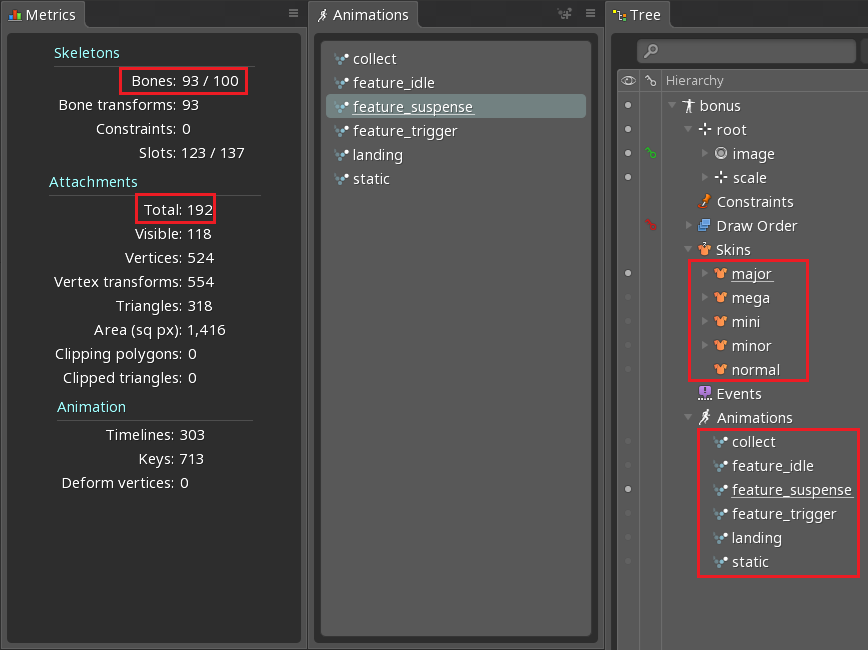
Instant prize symbol has 1 normal state (with dynamic payouts) and 4 jackpot states. To implement these states in original skeleton, 6 animations and several slots were duplicated 5 times. Usually the output file for such animation has a size 50-100 Kb, but in this case the output file size was 745 Kb (more than 5 times bigger!).

Duplicated animations and slots replaced with skins, the output file size reduced to 171 Kb.
- Do not create too many frames and keyframes for each animation, consider splitting animations into several parts to run on different tracks.
Huge amount of frames with complex animations (when multiple bones/slots changes on each frame) increases amount of allocated memory and may lead to browser tab crash.
Animation example
- Original skeleton
- Fixed skeleton
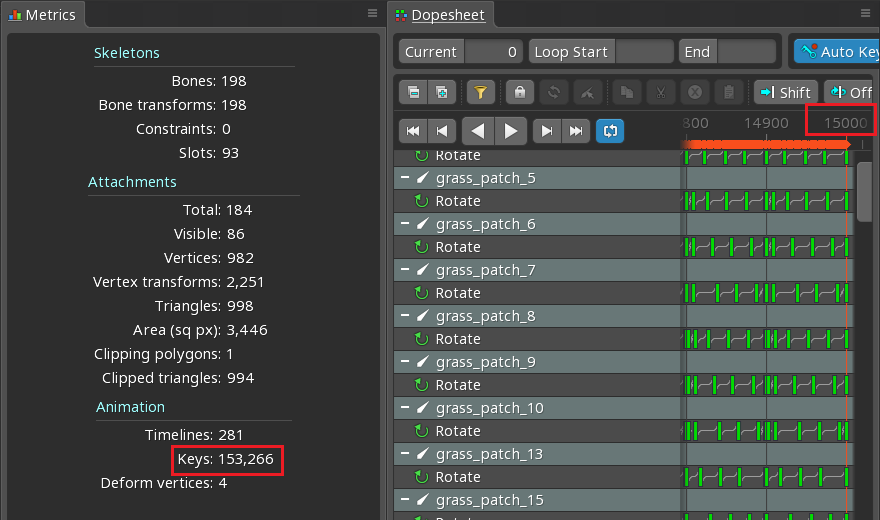
Background animation consists of 15000 frames (153000 keyframes+ across all timelines) with the same animation duplicated multiple times (even Spine editor lags with such amount of animations 😅). The output file size of this animation is 14.4 Mb, which is almost the size of the whole game on mobile devices.
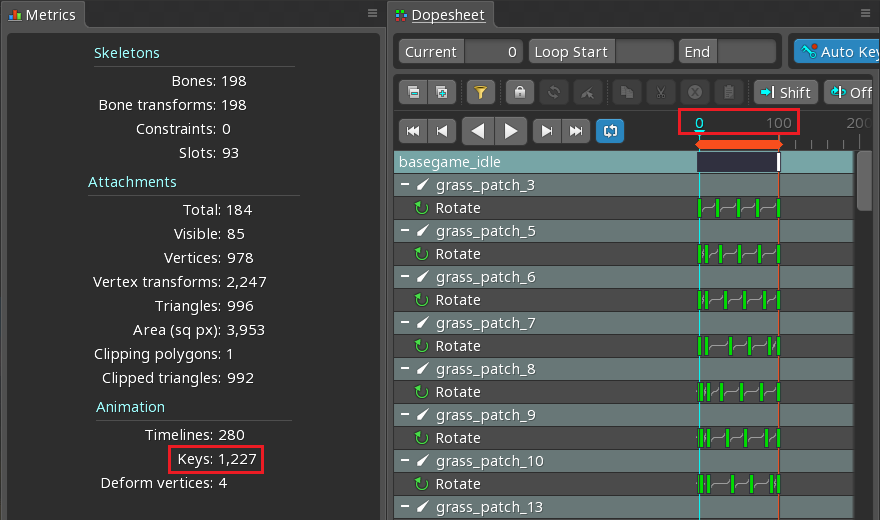
100 frames repeated 150 times for almost all objects except clouds/birds. It's reasonable to split this animation into several tracks: first for clouds/birds, and second one for all other objects.
Objects animation with only 100 frames moved to a separate animation, which will be repeatedly played on another track.
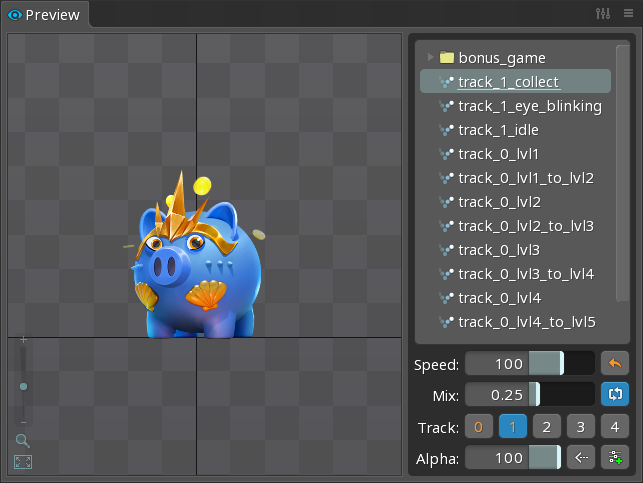
Spine editor contains Preview panel. This panel allows to test transition between different animations and play multiple animations at the same time on different tracks.
- Animation
setuppose should always represent objectstaticorinactivestate.
Animation example
- Original skeleton
- Fixed skeleton
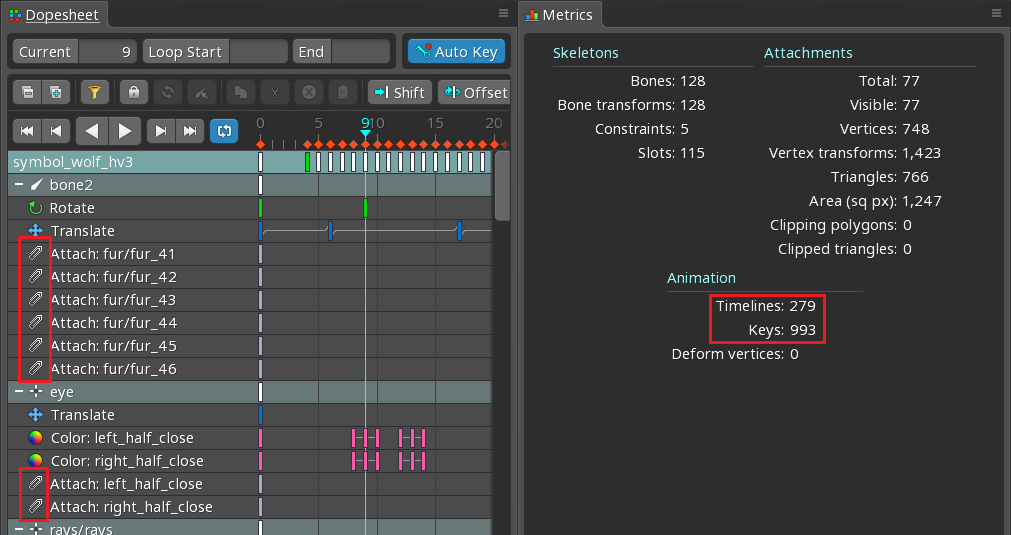
HP symbol animation setup pose is configured in a way, when attachments are hidden for all slots. As a result:
- animation contains extra keyframes to setup
attachmentfor each slot on the first frame; - the game client forces Spine runtime to calculate the first frame of the animation, to make symbol visible in
staticstate, which leads to extra CPU usage.
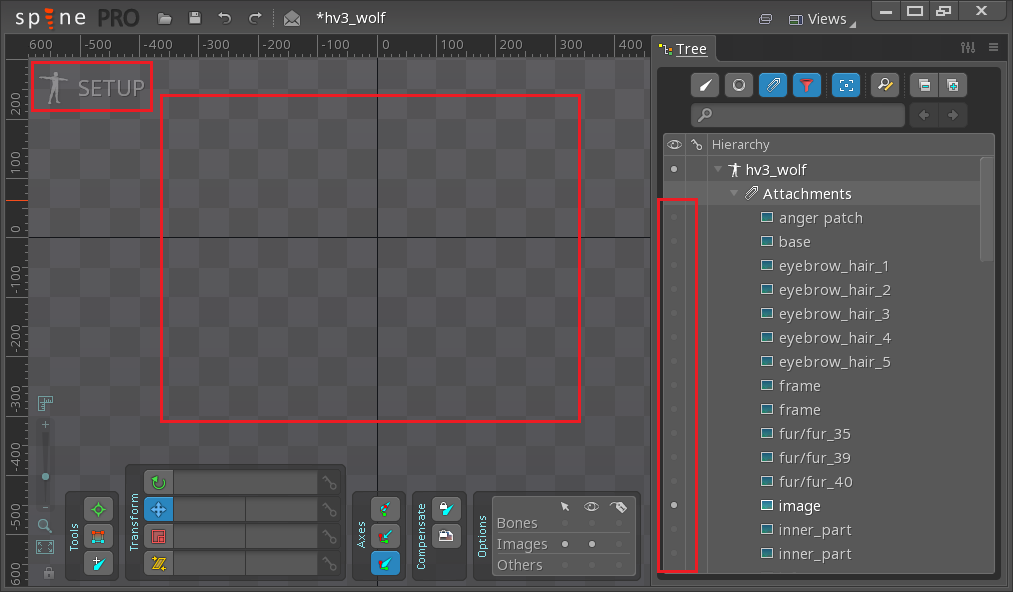
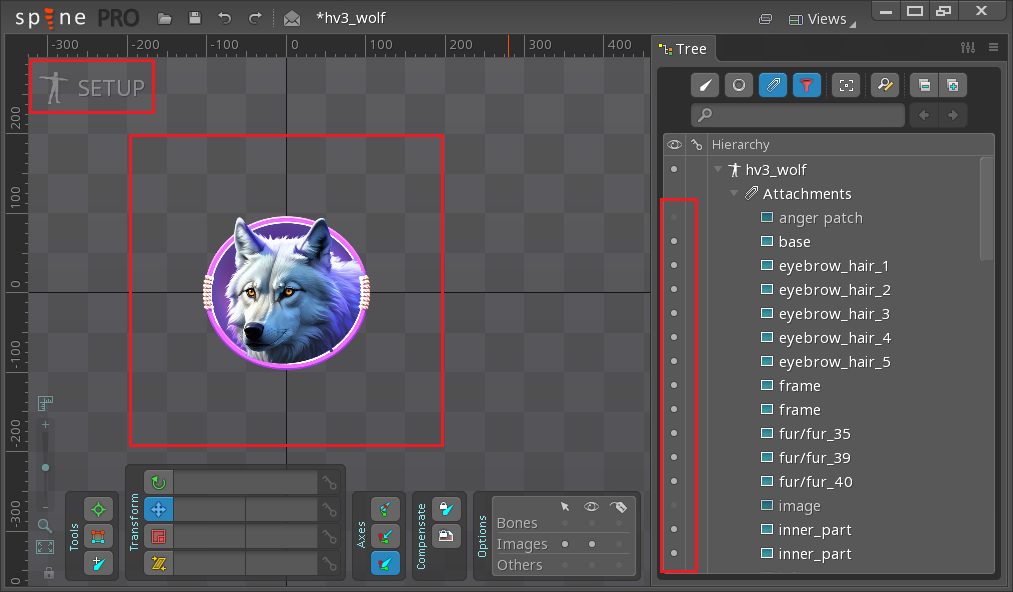
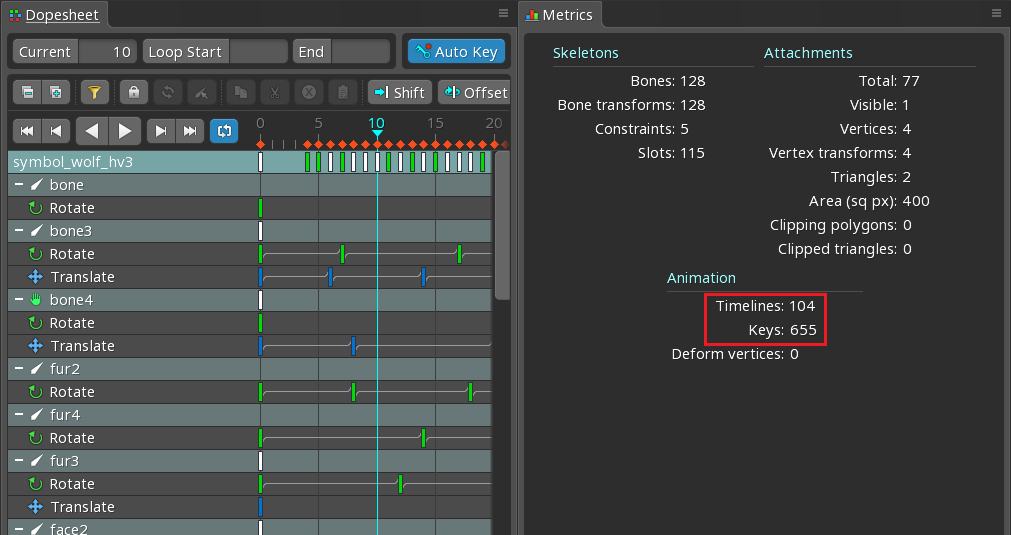
HP symbol animation setup pose is fixed, all attachments are visible as they should in static state. Unnecessary keyframes removed, and animation now looks much simpler.
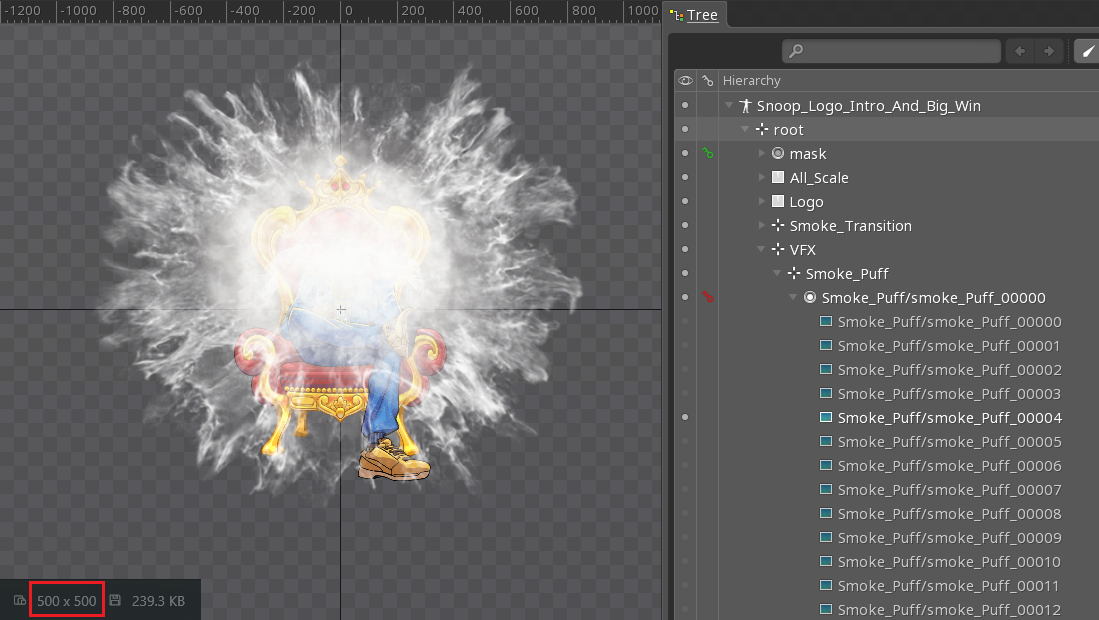
- Do not use too many frame-by-frame animations (image sequences), control the number of frames and images size used in such animations.
Animation example
- Original skeleton
- Fixed skeleton
Intro animation contains several frame-by-frame animations with huge images (each frame size is 1000x1000 px). This animation plays for a short period of time and frames size can be reduced without noticeable quality loss.
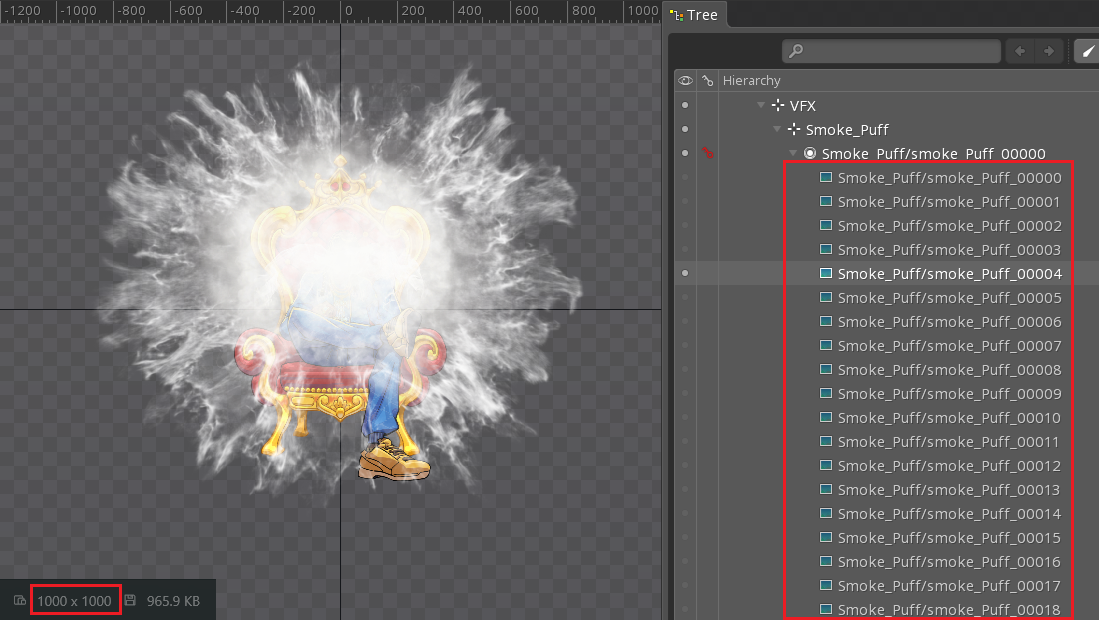
Frame-by-frame animation frames size reduced to 500x500 px. Changes are not noticeable during the game, but the output file size reduced significantly.
- Split looping animations like spins and rotations (for example the Gamble Wheel) into separate
start,idle, andendanimations, instead of delivering a single fixed-length clip for anything that has to wait on a backend response or user input.
Such animations rarely run for a fixed, predetermined duration — the game often has to hold the animation while waiting for a backend response (or some other reasons), and resolve it once the result arrives. Splitting the animation gives full control over its timing:
start— the entry / spin-up;idle— a seamless loop (the first and last frames should match) that can be held for an arbitrary amount of time;end— the resolution / settle into the final state.
Make sure the clips connect cleanly (the end of start matches the start of idle, and the start of end matches the idle pose), and use consistent names, e.g. wheel_start, wheel_idle, wheel_end.
- Do not bake text into the animation by default. In most cases the developer injects text dynamically into a bone/slot at runtime (win amounts, counters, labels, localized copy, etc.), so the animator should provide a named bone/slot (e.g.
txt_win_amount) for the developer to target.
Bake text directly into the animation only in these cases:
- Big Win animation;
- Symbols.
For everything else, provide a bone/slot instead of baking the text. If you are not sure whether text should be exported with the animation, check with the frontend developers.