Background Limitations
Background animations are often delivered with a huge amount of details, complex meshes and large textures. Even though background elements are typically covered by reels and other UI elements, optimizing this part of the scene could be a headache.
Uncontrolled background animations complexity can significantly affect the game performance, game loading time and memory consumption.
- Do not create too many details and complex meshes.
Animation example
- Bad example
- Good example
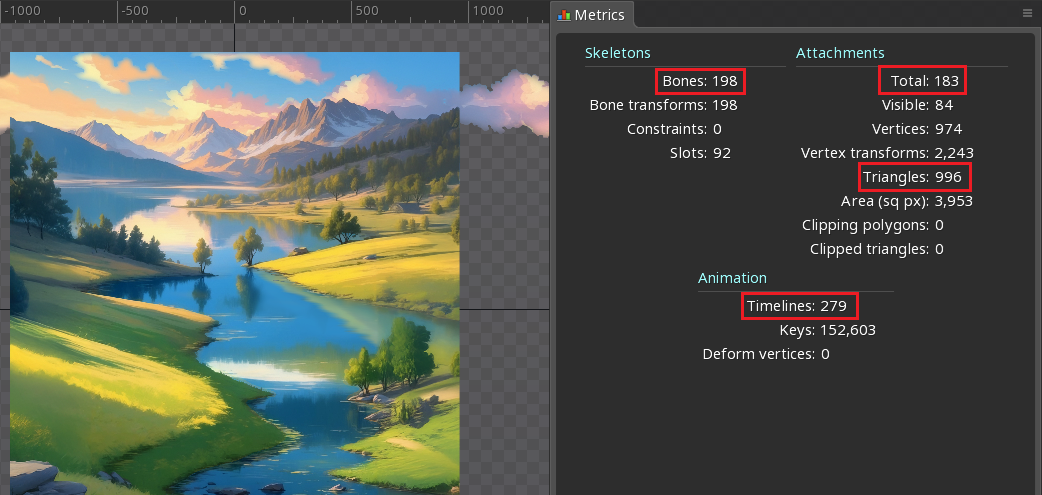
Background animation consists of huge amount of slots and meshes. Most of them will not be noticeable or even hidden under the reels/panels, especially on mobile devices. Updating and rendering all these elements will significantly affect the game performance.
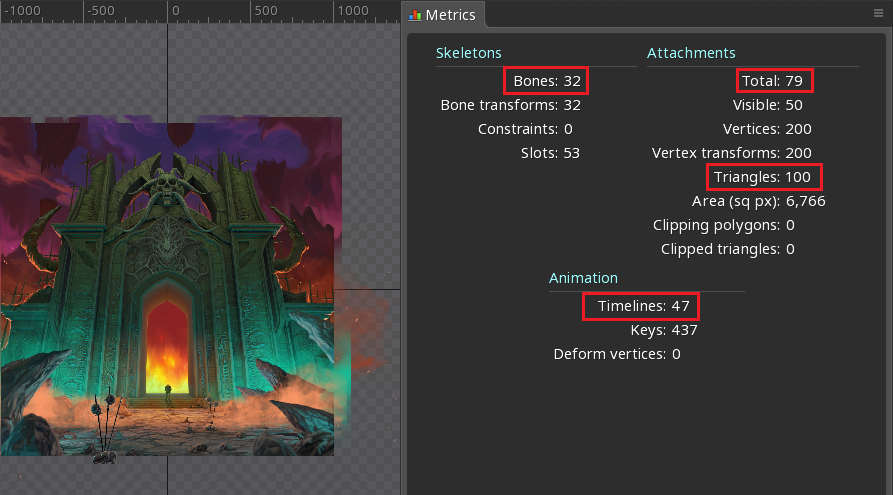
Background animation is simple, looks very exciting, and will not affect the game performance.
- Do not create separate version of the background animation for each screen size/orientation. Developer will be able to align and scale animations for different screen size/orientation.
Animation example
- Bad example
- Good example
Background contains separate version of the animation for each screen orientation. As a result:
- unnecessary mask is used to crop the animation elements and fit the screen orientation, which also slightly affects the performance;
- duplicated keyframes are stored in the memory.
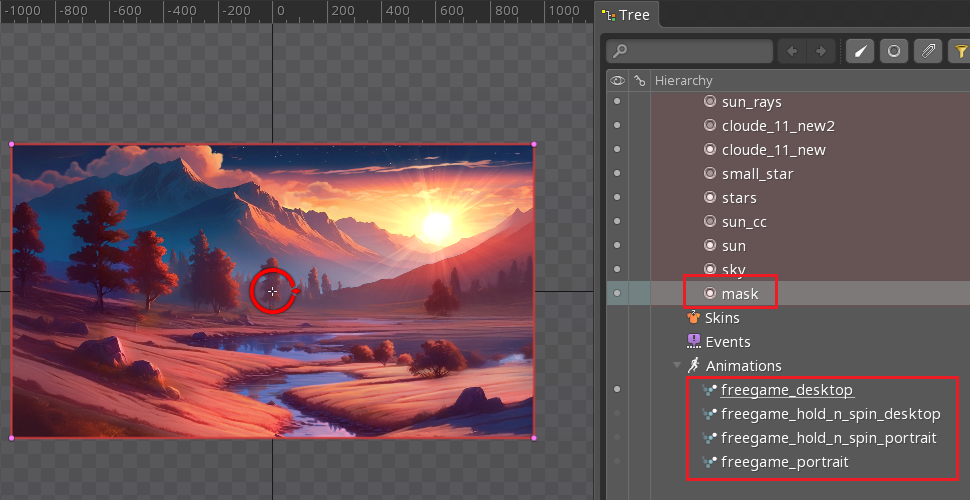
Unnecessary mask and duplicated animation removed. Background is aligned and scaled by the developer itself.
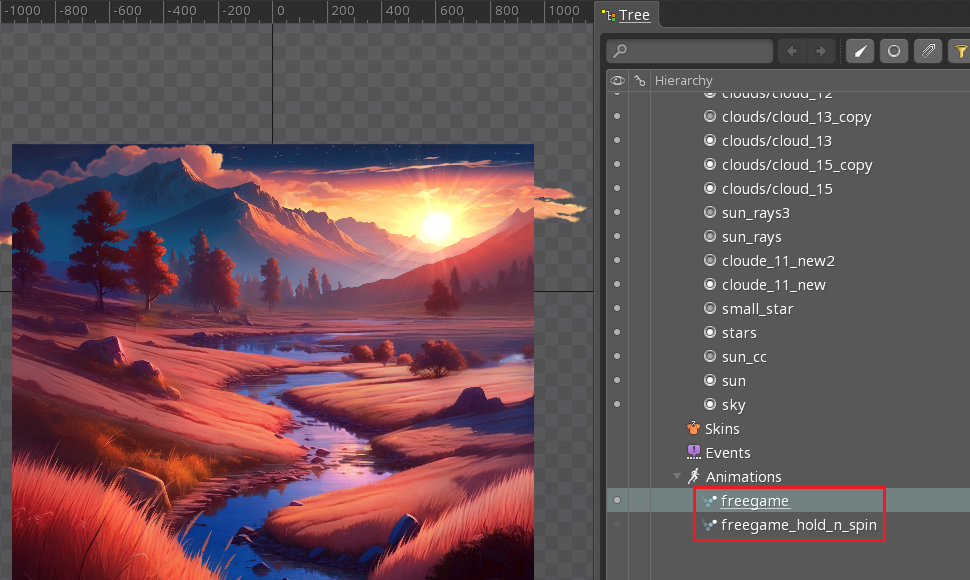
-
Do not create too many versions of the background animation. Consider using skins and multiple tracks for different states to add more variety to the animation.
-
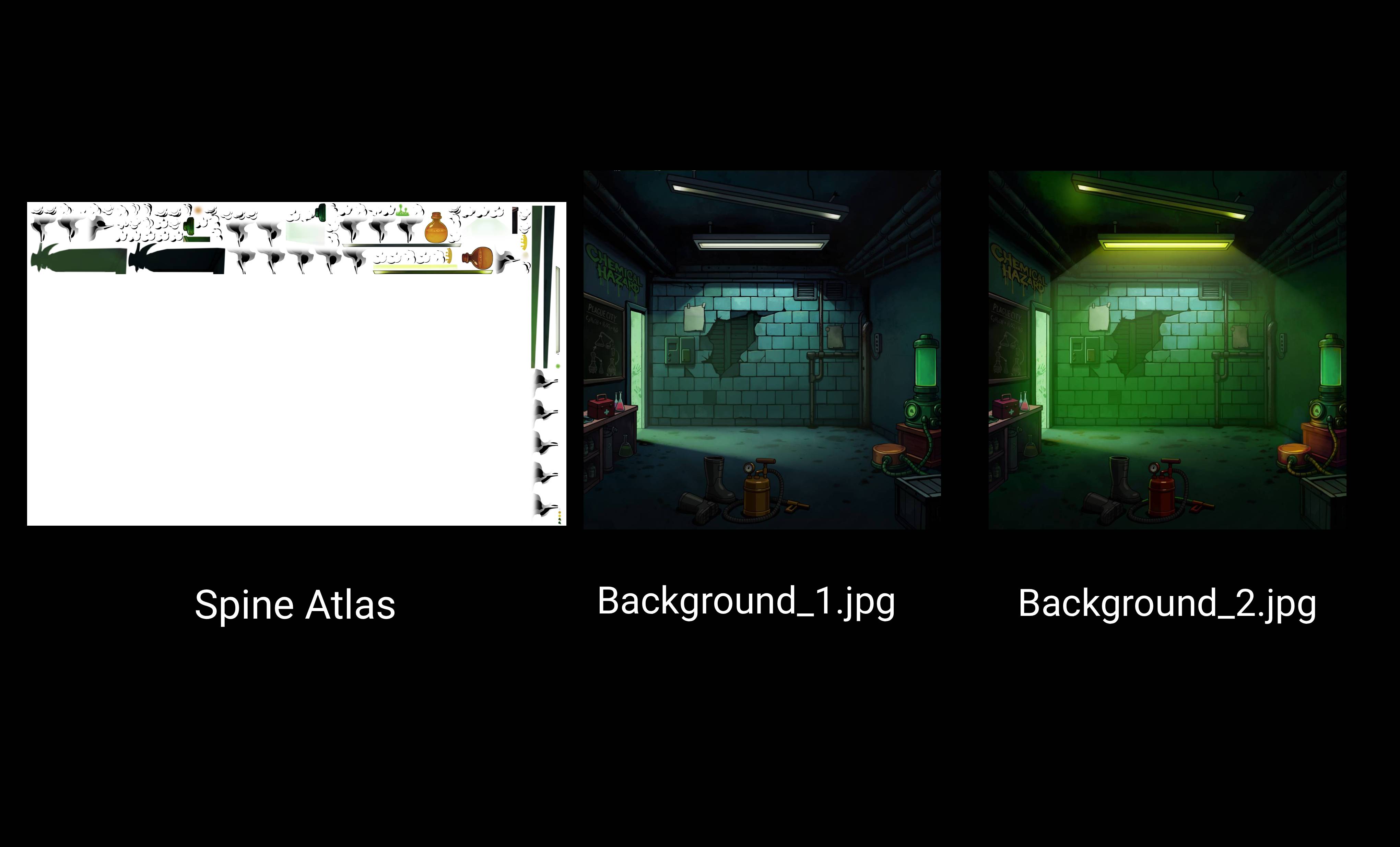
Do not bake the static background into the Spine export. Deliver the static (or nearly static) background separately as a
JPG, and keep only the animated elements in the Spine animation.
A flat JPG compresses much better than the same background packed into a Spine texture atlas. Exporting only the animated layers and compositing them over a separate JPG reduces the output file size, with no noticeable quality loss.
Example
- Bad example
- Good example
The static background is baked into the Spine animation and stored in the texture atlas. It takes up a large part of the atlas and compresses worse than a dedicated image format, increasing the output file size for pixels that never move.
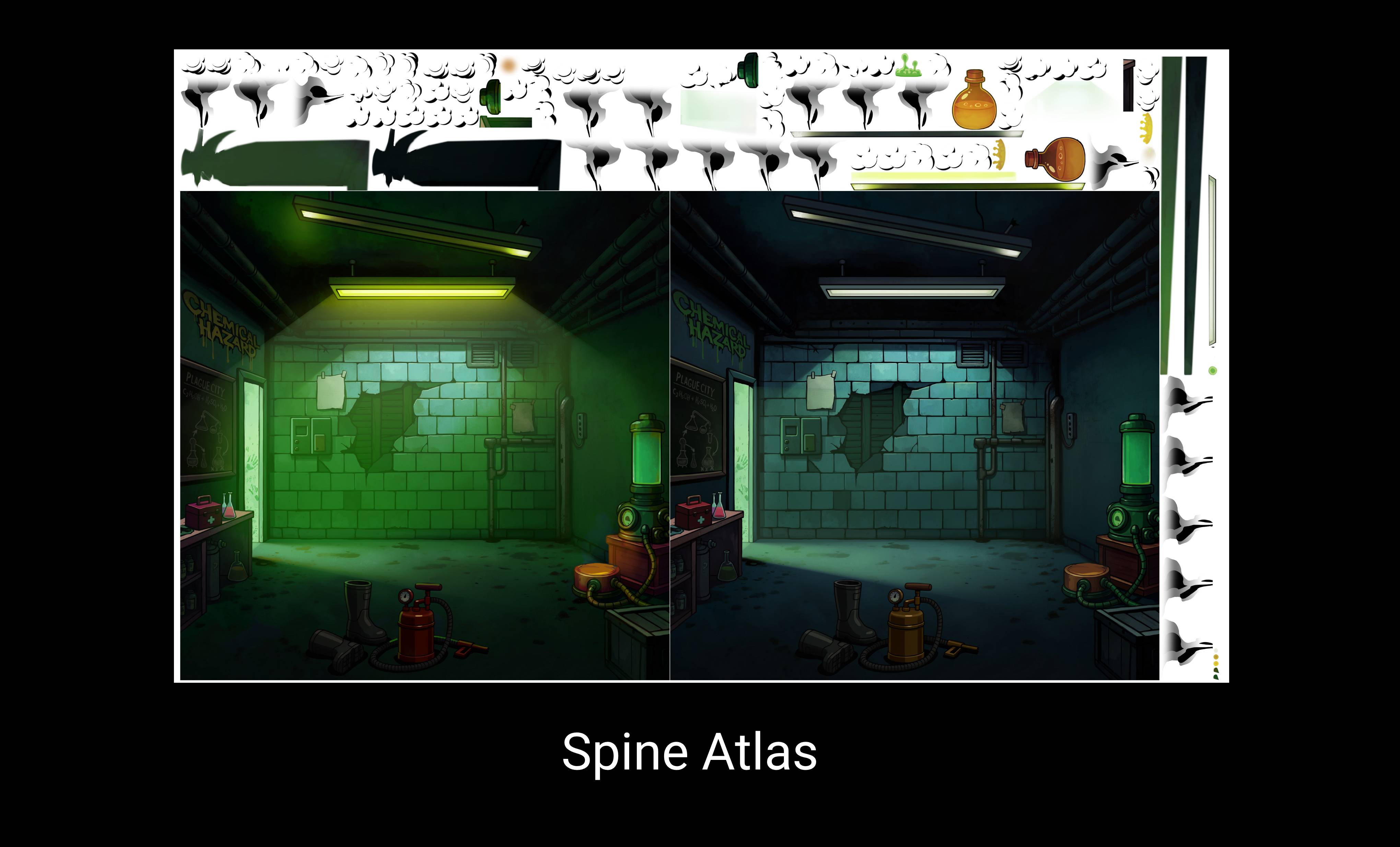
Only the animated elements are exported in the Spine animation. The static background is delivered as a separate JPG and composited under the animation by the developer. The texture atlas is smaller, and the background compresses much better.